Manual: AI Dining Co-Pilot
The table-QR guest experience - a branded digital menu with an AI concierge that curates group meals on a budget, answers dish questions in any language (typed or spoken), runs one shared cart per table, and pings the right server with one tap.
The AI Dining Co-Pilot is what a guest gets when they scan the QR sticker on their table: your branded menu with an AI concierge on top. It is more than a "PDF menu on a phone":
- Group & budget curator - "4 of us, ₹2,500, 2 veg / 2 non-veg, mild" → a balanced sharing basket with a rationale per dish, one tap to add it all.
- Flavor & ingredient explorer - guests ask about dishes, spice, allergens - typed or spoken, in any language (a Telugu speaker can ask about a Japanese menu; the answer comes back in Telugu).
- One shared cart per table - every phone at the table edits the same cart live, and checkout becomes a normal kitchen order.
- Service dock - one tap for water / cutlery / the bill / "please come over", delivered to the phone of the server covering that table.
Everything the AI says is grounded in your real menu: it can never invent a dish or a price, every total is computed server-side, and if the AI is ever unavailable the page still works as a full menu + ordering surface.
Enable it: three steps
The co-pilot ships with the Food workspace (the FOOD_LOG module).
If your workspace doesn't show the Food section, ask your platform
administrator to enable the Food module for your tenant first.
1. Build your menu (Food → Menu). The concierge is only as good as what you feed it - for each dish, fill in:
- Description - this is what the AI quotes when guests ask what a dish is. Mention key ingredients, preparation, and spice level here.
- Allergens - the AI answers allergy questions ONLY from this field. When it's empty, it tells guests to check with the kitchen - it never guesses.
- Veg / non-veg - drives the curator's veg/non-veg split.
- Chef's signature - signature dishes get a "Chef's pick" badge and the curator prefers them: this is your margin/hero lever.
- Photos - upload on the dish editor's Photos card. The first photo shows on the guest menu, in the AI's dish cards, and in curated baskets.
2. Create your tables and mint each table's QR (Food → Floor → Manage tables). Each table's QR code encodes an unguessable link that lands on the co-pilot page for exactly that table. Print it from the QR dialog and put it on the table.
3. Share it. That's the QR sticker itself - there is nothing for guests to install or log into. The same dialog gives you the plain link if you want it in a WhatsApp message or on a card. Older QR stickers printed before the co-pilot shipped keep working - the same code now opens the richer page.
What the guest sees
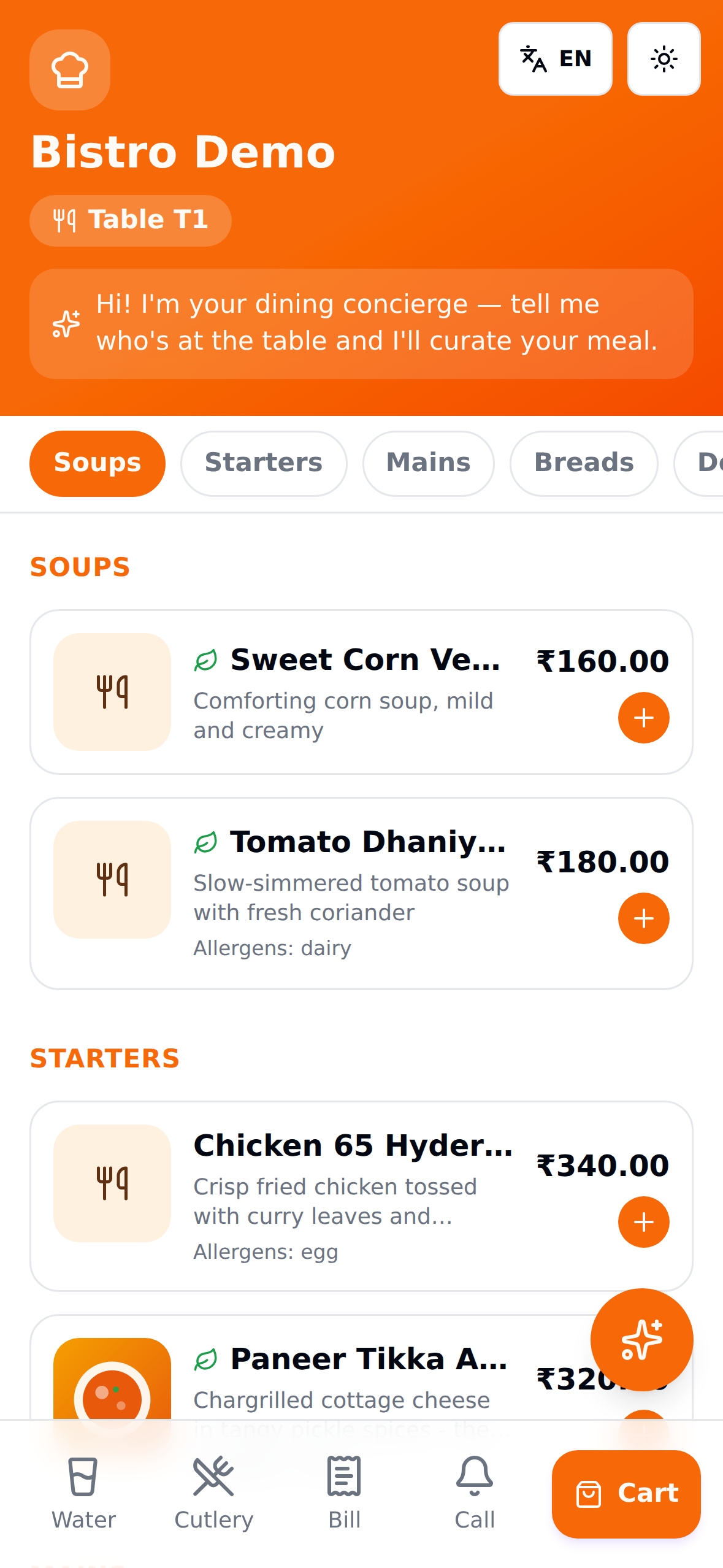
Your restaurant name and table number on top, sections in the order you arranged them (Soups before Mains - set the order under Menu → Manage sections), dish photos, veg badges, allergens, and prices in your currency. The section bar at the top scrolls the guest straight to Desserts.
The service dock
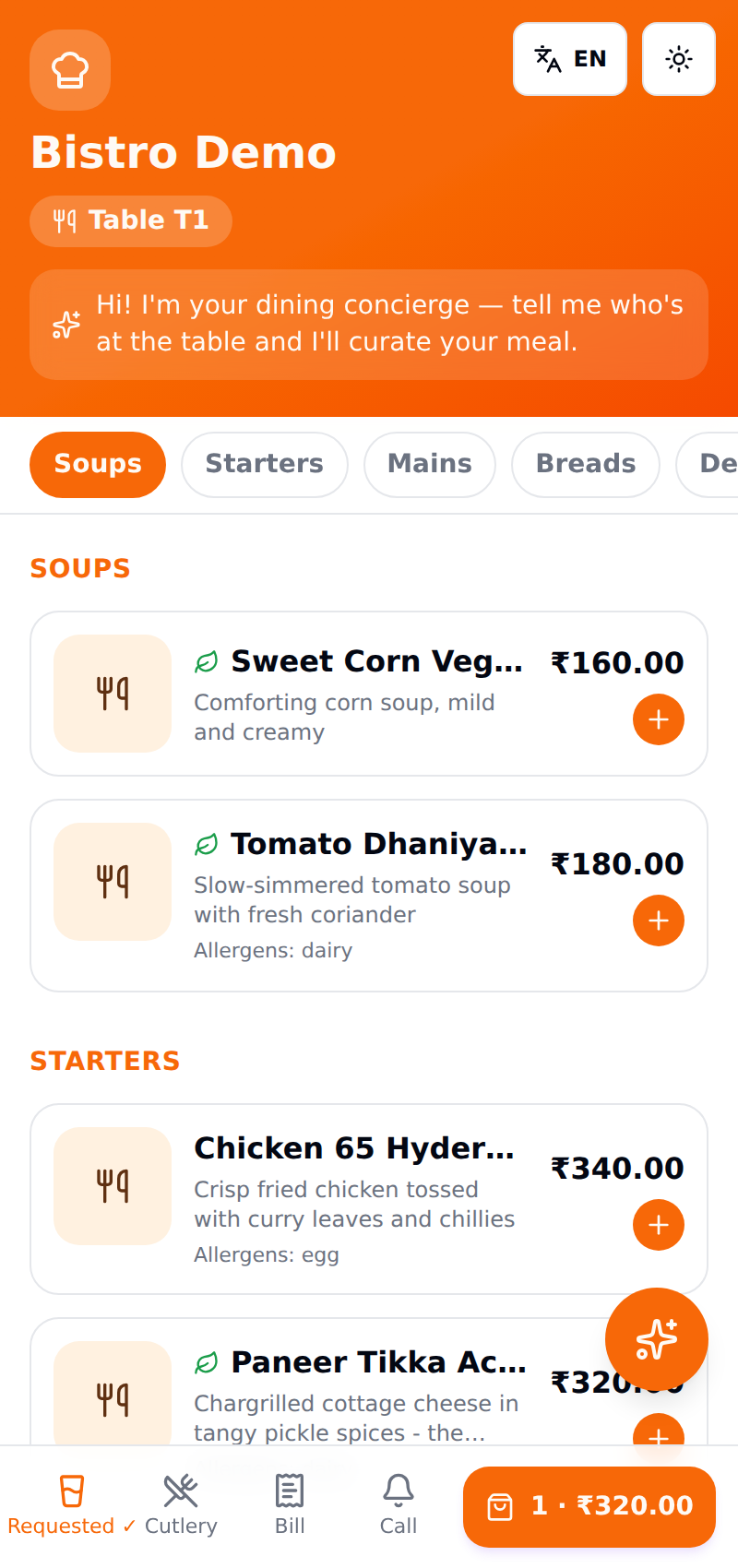
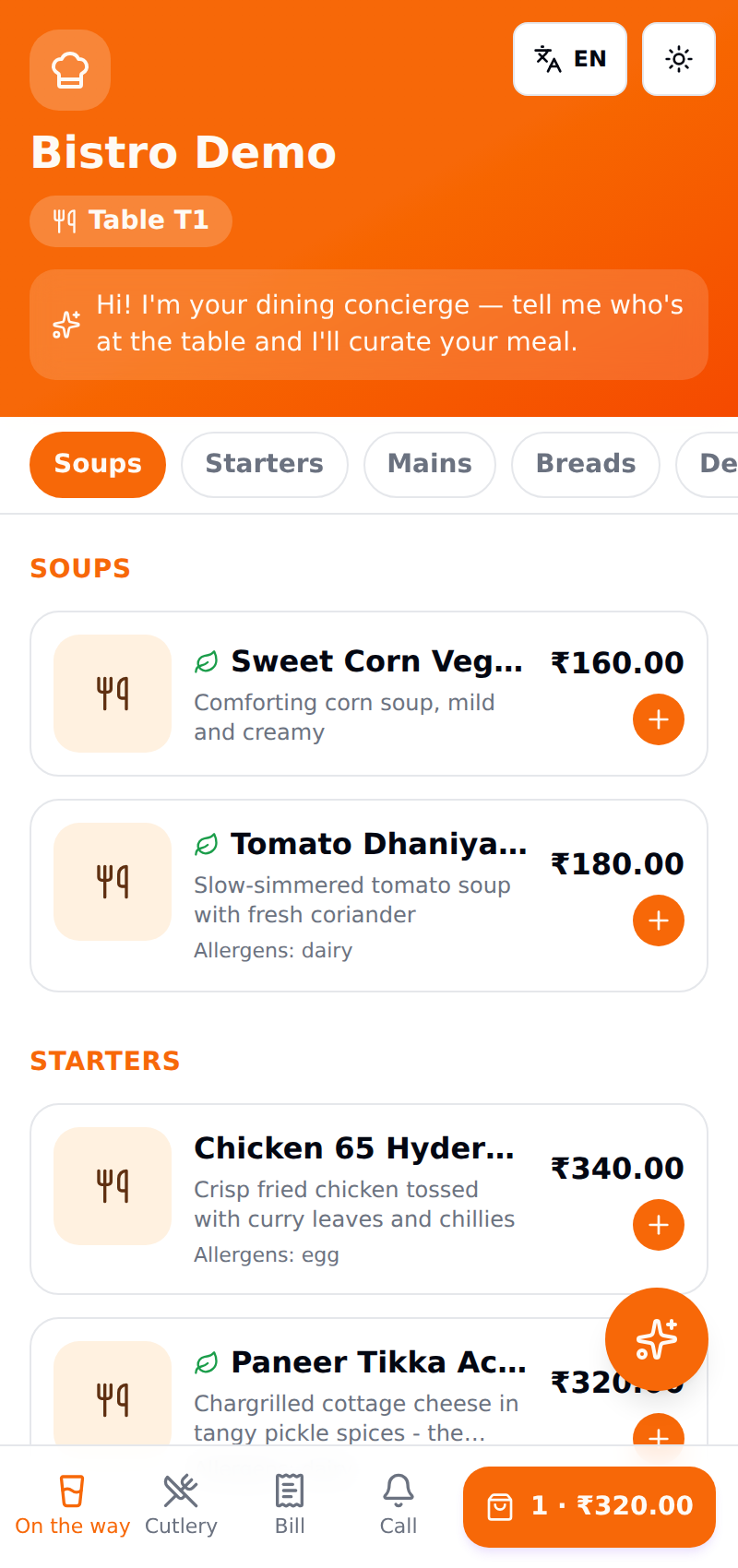
The bar at the bottom is always in reach: Water, Cutlery, Bill, Call - one tap, and it shows "Requested ✓" so nervous re-taps don't spam anyone. When the server acknowledges, the guest's phone flips to "On the way":
The shared table cart
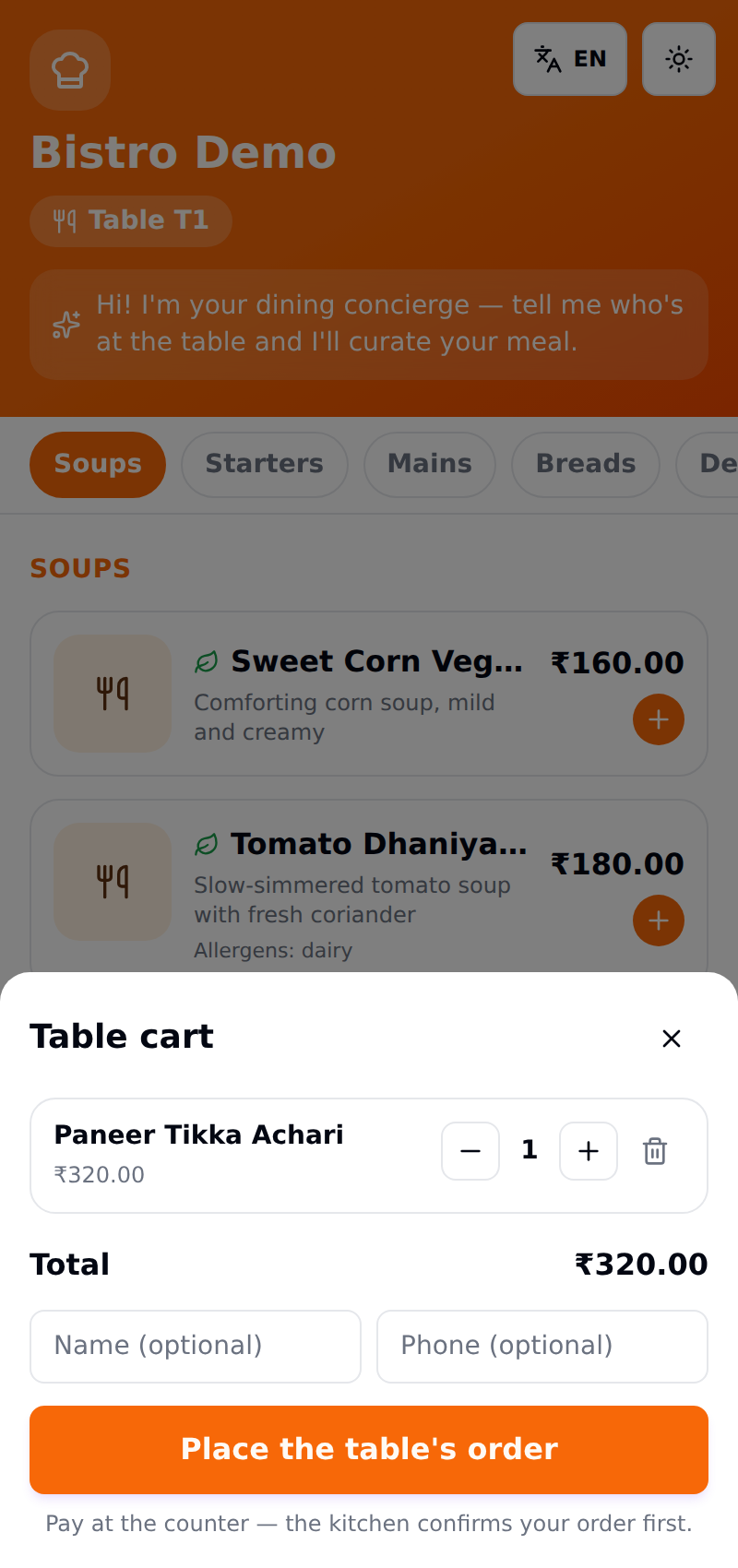
Every phone at the table edits one cart - a dish added on one phone appears on the others within seconds, labeled with who added it. Checkout turns the cart into a normal kitchen order (it arrives on your KDS as a needs-confirm QR order, exactly like the plain QR flow):
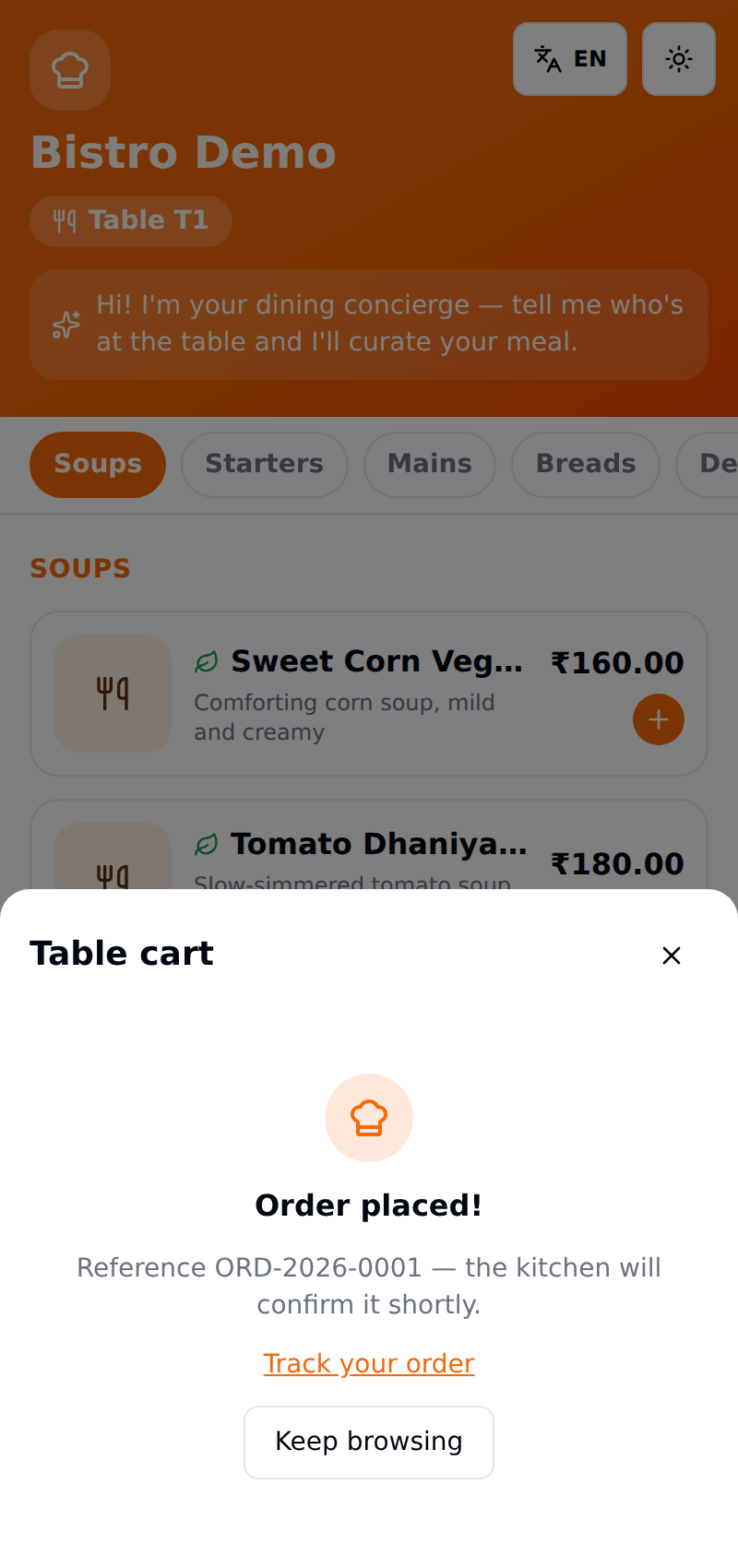
The concierge
The floating ✨ button (or the welcome banner) opens the full-screen co-pilot. The curator takes group size, veg split, budget, and spice preference:
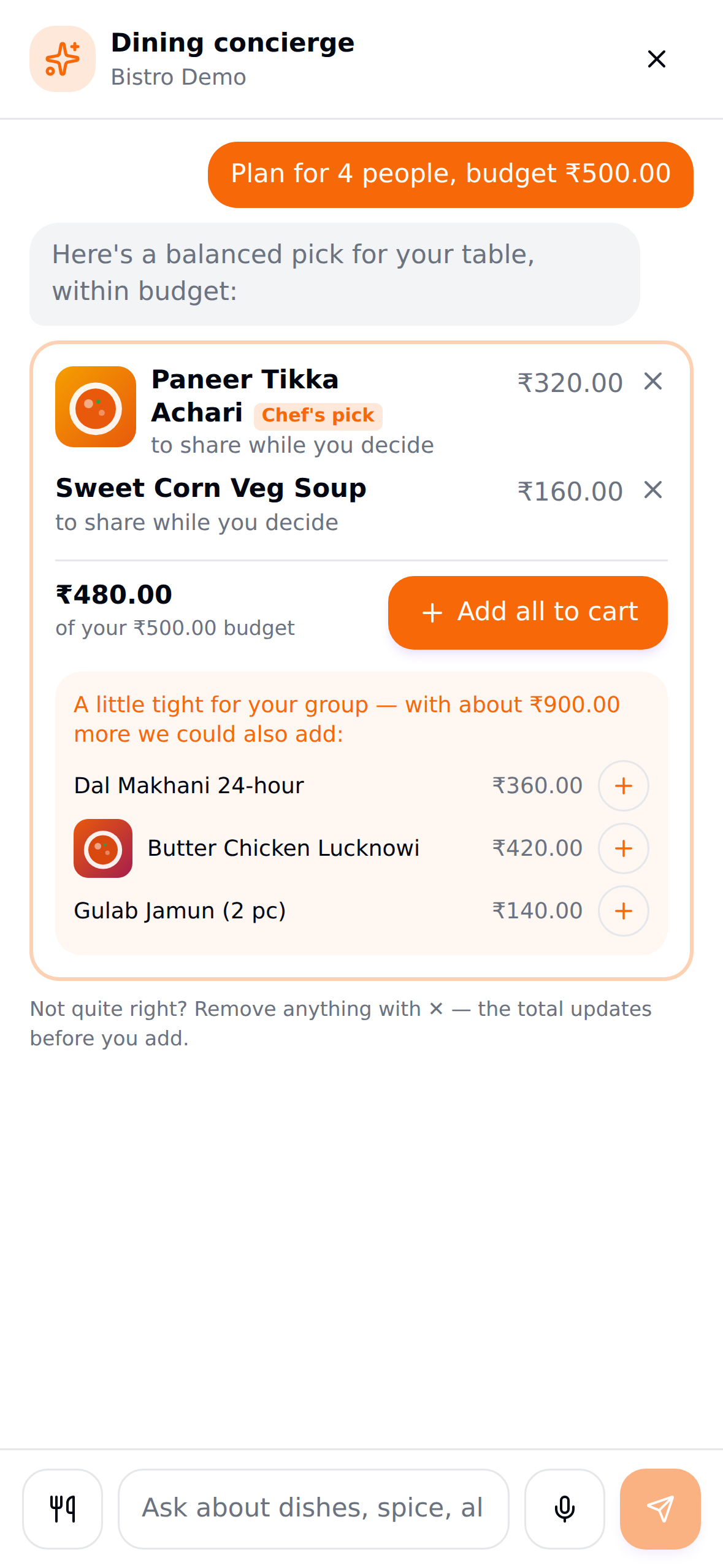
Every dish in the basket is a real menu item at its real price, the total is computed on the server, and the basket always respects the budget. When the budget is genuinely tight for the group, the co-pilot stays honest: it shows what fits, then politely notes what a little more would unlock - real dishes, real prices, one tap to add.
Guests can also just talk to it - "which dishes have nuts?", "what's the story behind butter chicken?", "something light for this heat". The mic button records their voice and sends it to the AI directly, so it works in any language on any phone - no browser speech support needed. Answers come back in the language the guest spoke, with tappable dish cards.
Dish history and food-culture questions ("where is this dish from?") can be enriched with live Google Search grounding, anchored to your restaurant's cuisine and region from your AI profile. Menu facts - prices, allergens, availability - always come from your menu only.
The server's side
Your staff work the other half of the loop from the kitchen app
(/kitchen on any phone - it installs as an app): Service station.
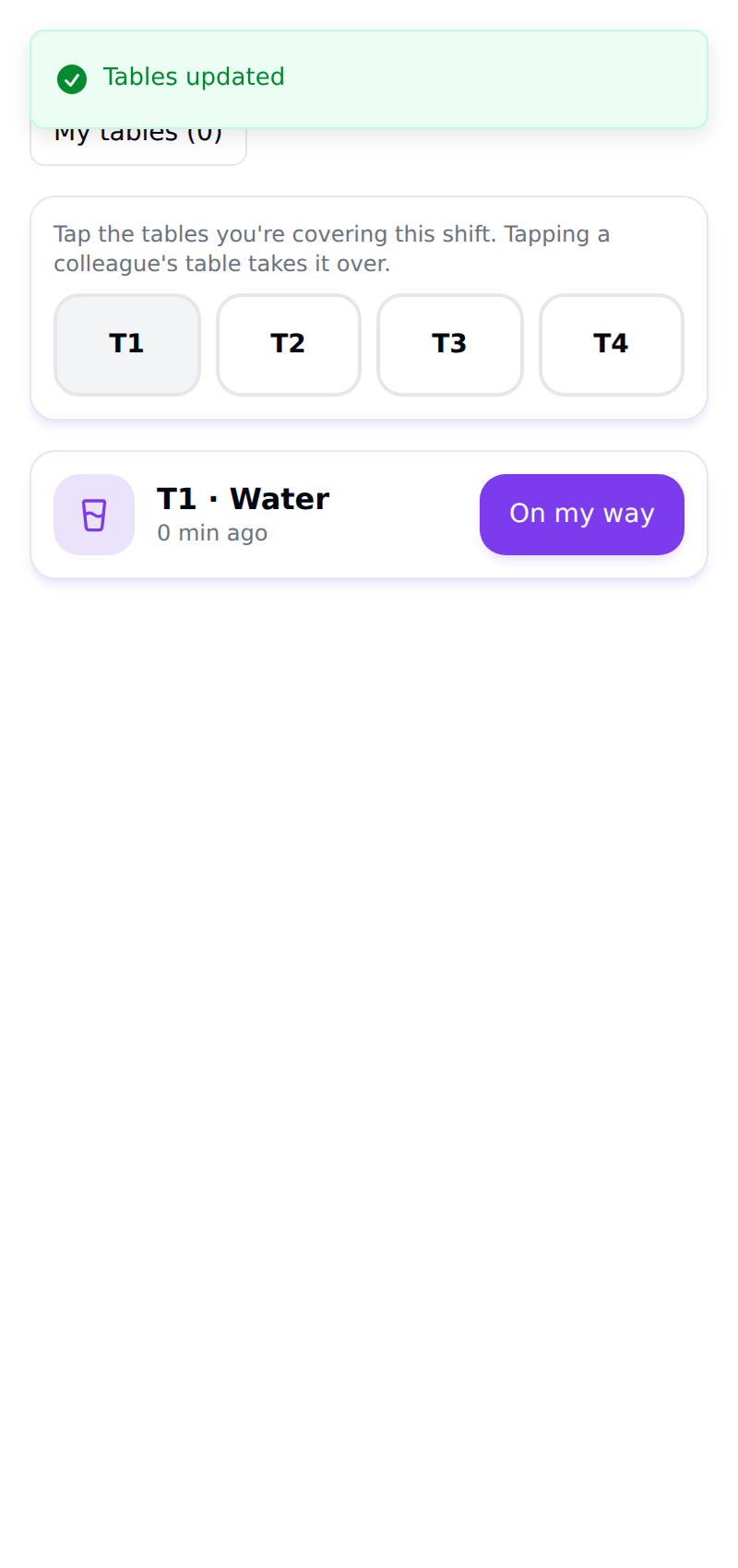
- My tables - each server taps the tables they're covering this shift. Requests from a claimed table notify that server's phone (push notification on the mobile app, plus the live inbox); requests from an unclaimed table go to all staff, so nothing is ever dropped.
- The inbox - "T1 · Water · 0 min ago" with one button: On my way (the guest sees it instantly) and then Done.
Browse-only mode: menu + AI without self-ordering
Already running your own POS and just want the digital menu and the AI concierge? Turn "Guests can order from their phone" off under Food → Settings (in the public menu section).
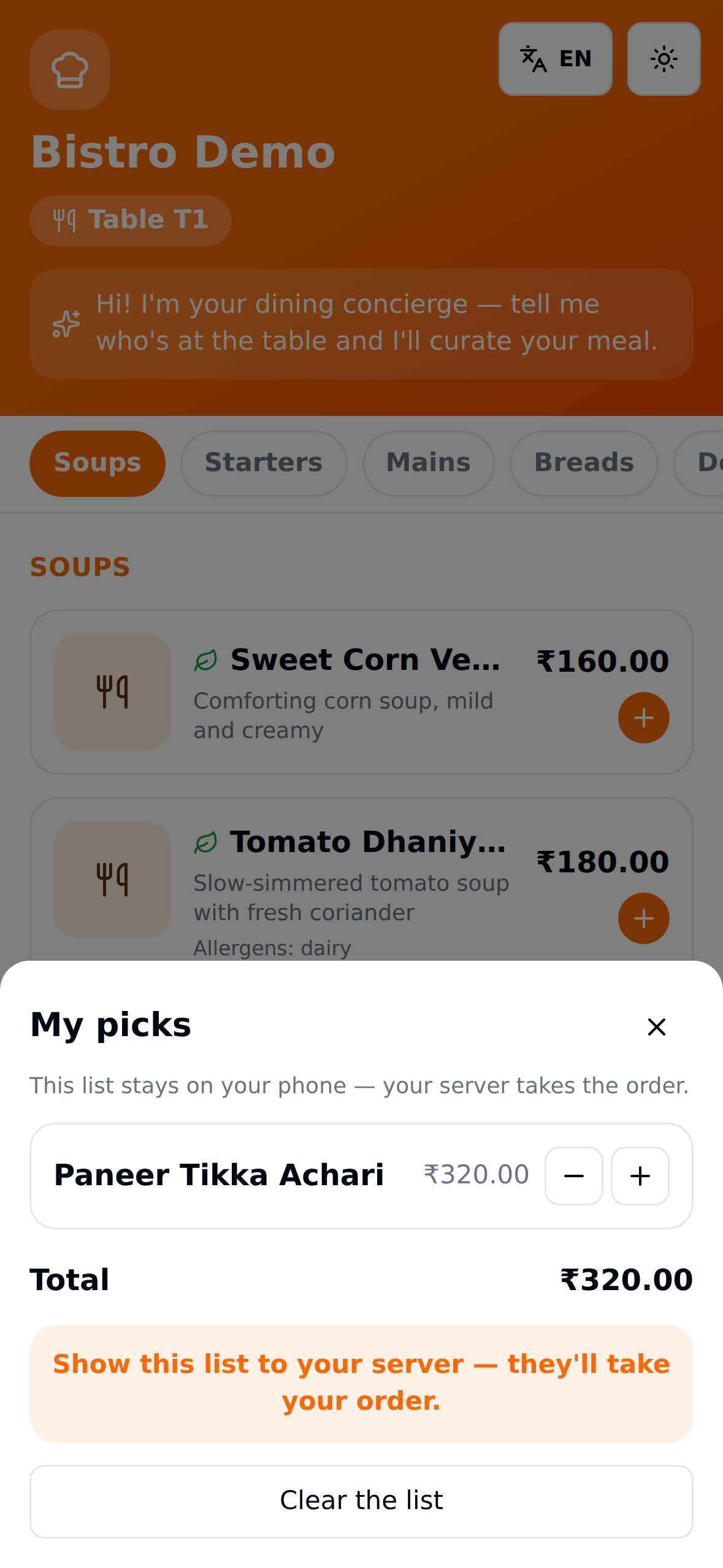
Guests still browse, still talk to the concierge, still call for water - but instead of a cart they build "My picks", a list that stays on their phone. When they're ready, they show it to the server, who takes the order in your own system. The server-side ordering endpoints are disabled too, so this is enforced, not just hidden.
Settings that shape the co-pilot
| Where | Setting | Effect |
|---|---|---|
| Food → Settings | Currency & timezone | Prices and the AI's sense of "lunchtime" / "weekend evening" |
| Food → Settings | Guests can order from their phone | Off = browse-only mode (above) |
| Food → Menu → dish | Description, allergens, veg, signature, photos | Everything the AI knows about a dish |
| Food → Menu → dish | Session prices | Time-of-day pricing (e.g. lunch price) the menu shows while that session is live |
| Food → Menu → Manage sections | Section order | The order guests (and the curator) see |
| Admin → AI profile | Sector, description, tone, language rule | The concierge's personality and default language behavior |
The co-pilot never takes payment. Guest orders arrive needs-confirm on your KDS/orders screen - staff confirm before the kitchen fires, the same anti-prank gate as the plain QR menu.
Manual: Food production
A step-by-step training manual for kitchen and back-office staff - dishes, recipes, kitchen custody, production issue and settlement, and the daily ledger.
Manual: Platform administration (super admin)
A step-by-step training manual for platform super admins - creating namespaces (tenants), enabling verticals and modules, adding users, switching workspaces, and custom domains.